


Wallpaper Engine
3.91.25K Reviews
App Specs
- Version
- 2.8.8
- Updated On
- License
- Free
- Downloads
- 5,000,000+
- Developer
- Wallpaper Engine Team
- Categories
- Personalization
- Platform
- Android, iOS
Screenshots
 Analysis by AppCompare
If you're like me and love giving your devices a personal touch, then you've probably heard of Wallpaper Engine. This app is one of those gems that takes customization to a whole new level, and trust me, it’s worth checking out. So, let’s dive into what makes this app a standout in the world of digital decoration.
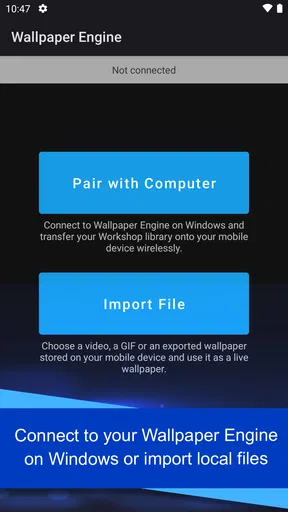
Start with the handoff from PC to phone
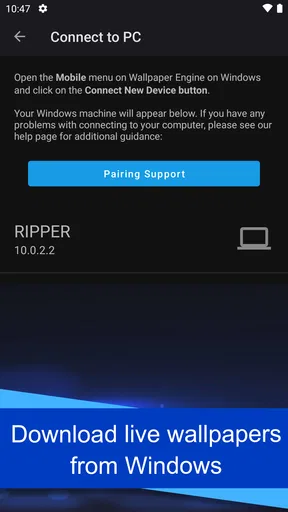
The first thing I’d keep in mind is what this Android app is for: it brings wallpapers from the Windows version of Wallpaper Engine onto a phone. That makes it different from a typical personalization app, where you browse a phone-first catalog and choose an image already hosted there. If you have a Windows library you care about, the appeal is practical as well as visual: your phone can share the same look without making you search for an unrelated substitute.
A useful routine is to decide what you want on the phone before opening the desktop side: a calm background for everyday use, a favorite animated scene, or a piece that works with your icons. Then transfer and apply that choice, rather than treating every session as an invitation to rebuild your setup. This small bit of intention helps keep a lively wallpaper from becoming visual clutter.
For example, if I were refreshing my phone before a busy week, I’d choose a wallpaper with a clear focal point and enough quiet space behind app icons. I’d check how it looks on both the home and lock screens, then leave it in place for a few days. That makes it easier to tell whether the design is genuinely comfortable or merely exciting for the first minute.
Endless Customization with Dynamic Wallpapers
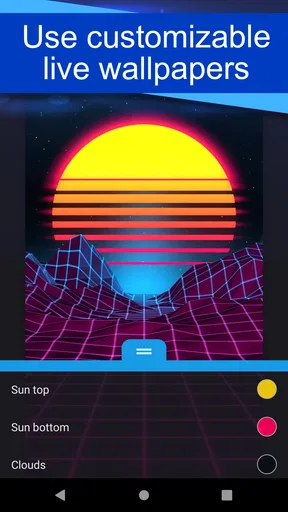
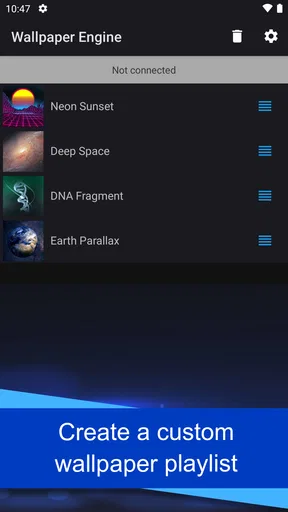
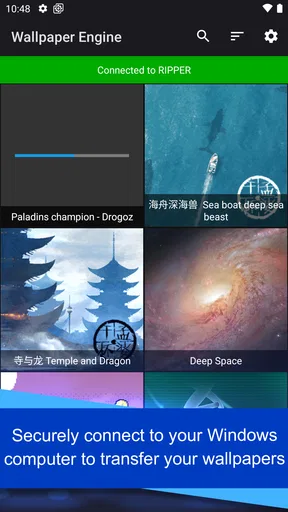
When I first launched Wallpaper Engine, I was greeted with a vast library of wallpapers ranging from serene landscapes to animated abstract designs. The app offers both static and animated options, and the collection is constantly growing thanks to community contributions. It's like having a never-ending art gallery in your pocket!
The best part? You can even create your own wallpapers. Yep, you heard that right. Whether you're a budding digital artist or just someone with a creative flair, this feature is a game-changer. The app provides tools to import videos, animations, and even interactive elements. It’s pretty much a playground for your imagination.
User-Friendly Interface
Now, I know what you're thinking. All these features sound great, but is it easy to use? Absolutely. The interface is intuitive and straightforward. Everything is neatly organized, making it simple to browse, select, and apply wallpapers. Even if you're not tech-savvy, you'll find navigating through the app a breeze.
Worth Reading Before You Choose

Flipboard Shows What News Apps Must Do Beyond the Feed

Switching to Android Auto Means Rethinking Your Driving Routine

Google Calendar Makes a Crowded Week Easier to Manage

Ludo King Makes the Most of the Minutes Between Plans

Baby Panda World Brings Quick Play to Modern Phones, but Its Game Library Feels Busy

ESPN’s Live Game View Makes Following Close Games Easier
Changing wallpapers is as easy as a few taps, and the app even allows you to set different wallpapers for different screens. So, whether it’s your lock screen, home screen, or both, you can keep things fresh and exciting.
Make settings part of the routine
Before settling on an animated design, I’d check its behavior on my particular phone rather than assuming every wallpaper will feel equally smooth. Motion that looks subtle on one display may seem busy on another, and a detailed scene can make icons harder to scan. I’d try the same image briefly on the lock screen and home screen, then keep it only where it remains easy to live with.
Battery and performance are also worth judging through ordinary use, not a quick glance at a preview. Leave the wallpaper active while you move between the apps you normally use, and notice whether the effect feels distracting or the phone responds as expected. If you prefer a quieter setup, a static option is a sensible trade-off: you still get a personal look without asking motion to do extra work.
One practical tip is to favor wallpapers whose main subject stays visible when the clock, icons, or widgets occupy part of the screen. A composition that looks great edge to edge on a computer may feel crowded on a phone. Choosing for the actual screen layout, rather than for a thumbnail, is a small step that makes the result feel deliberate.
Performance Optimization
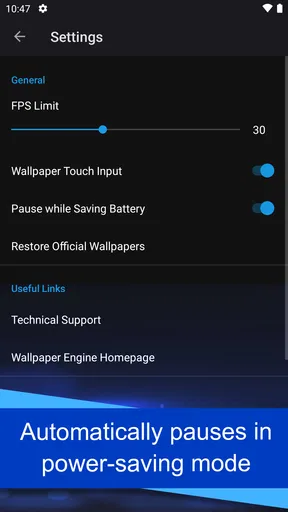
One concern I had before trying out Wallpaper Engine was whether it would drain my battery or slow down my phone. Thankfully, the app is designed with performance in mind. You can customize settings to balance between visual quality and battery consumption. Plus, wallpapers pause when you're using other apps, ensuring that your device stays smooth and responsive.
Use community browsing with a filter
Another cool aspect of this app is its vibrant community. Users are constantly creating and sharing their designs, which means there’s always something new to discover. The app's built-in workshop makes it easy to browse and download creations from other users, adding a social element to the experience.
If you create something you're proud of, sharing it with the community is just as simple. It’s a great way to get feedback, connect with other users, and even get some inspiration for your next masterpiece.
That abundance is enjoyable, but it can also make browsing feel endless. I’d save the search for moments when I know what kind of mood or color I want, instead of scrolling until every option starts to look alike. When you find a design that fits, keep it as a reliable choice and return to discovery later. A repeatable habit like that makes the community useful without turning wallpaper selection into a chore.
Where the mobile version fits
It helps to separate what this app does well from what a standalone phone wallpaper catalog is designed to do. If your goal is simply to find a quick background on your phone, the usual built-in wallpaper picker or a basic image collection may be faster. This app makes more sense when you want to carry over work from the Windows ecosystem and value that continuity. Its strength is not just having attractive pictures; it is making a familiar desktop collection relevant on mobile.
That focus also shapes who I’d recommend it to. It’s a strong fit for someone who already uses Wallpaper Engine on Windows, enjoys tweaking a phone’s appearance, or likes browsing community-made visuals. If you don’t use the Windows version and only want one simple static background, the transfer-centered workflow may feel like more than you need. In that case, your phone’s built-in options are likely the more direct answer.
For a creator, the useful question is whether a design will translate well to a small screen, not only whether it looks impressive on a monitor. I’d test a restrained crop, avoid putting important details where icons sit, and keep a backup static choice for times when animation feels like too much. Those choices make a shared or imported design feel adapted to the phone instead of merely copied onto it.
Why You Should Try It
So, why should you give Wallpaper Engine a shot? If you're someone who enjoys customizing your devices, this app is a must-have. With its extensive library, user-friendly interface, and strong community presence, it offers a unique way to express yourself. Plus, who doesn’t love having a device that reflects their personality?
Whether you’re in it for the aesthetics, the creativity, or just to try something new, Wallpaper Engine delivers on all fronts. So go ahead, give your screen a makeover and let your creativity run wild. Trust me, your device will thank you.
Who should install it, and what to expect
The app is free and is made by Wallpaper Engine Team. It sits in the personalization category, has an Everyone age rating, and its current version is 2.8.8. It has a 4.1 average from around 18 thousand ratings, with over 5 million installs. It was released on November 21, 2021, and requires Android 10 or newer.
My overall recommendation is specific: try it if the Windows-to-phone connection is useful to you, and approach it as a way to curate a small set of wallpapers rather than a reason to change your screen every day. It’s at its best when the design suits your layout, the motion feels comfortable, and the transfer saves you from rebuilding a collection. If you want a simple background with no cross-device angle, a standard wallpaper picker is the easier choice. For everyone else, a little testing and a repeatable selection routine can make this a satisfying way to keep a phone’s look personal.
Pros
- Extensive library of dynamic wallpapers.
- User-friendly interface with easy navigation.
- Constant updates with new content.
- Customizable settings for personal touch.
- Supports multiple resolutions and aspect ratios.
Cons
- Consumes more battery than static wallpapers.
- Some features locked behind a paywall.
- Limited offline functionality.
- May slow down older devices.
- Occasional bugs with certain animations.
FAQs for Wallpaper Engine
What is Wallpaper Engine and how does it work?
Wallpaper Engine is a dynamic wallpaper application that allows users to create and use live wallpapers on their desktop or mobile devices. It supports a variety of animated wallpapers, including 3D and video formats. Users can customize these wallpapers, adjust settings, and even create their own using built-in tools.
Is Wallpaper Engine available for both Android and iOS devices?
As of now, Wallpaper Engine is primarily available for Windows on desktop. However, the developers have extended its capabilities to Android devices, allowing users to sync wallpapers from their PC to mobile. Unfortunately, iOS support is currently unavailable, so iPhone users cannot use the app.
How customizable are the wallpapers in Wallpaper Engine?
Wallpapers in Wallpaper Engine are highly customizable. Users can adjust various settings such as animation speed, color, and audio responsiveness. The app also allows for user-created content, where you can design your own wallpapers or modify existing ones using the Wallpaper Editor, offering a personalized experience.
Does using live wallpapers affect device performance or battery life?
Using live wallpapers can impact device performance and battery life, especially on mobile devices. Wallpaper Engine offers performance settings to manage resource usage. On PCs, it automatically pauses when running full-screen applications, like games, to save resources, minimizing any impact on performance.
Is there a community or resource for sharing wallpapers?
Yes, Wallpaper Engine boasts a vibrant community on Steam Workshop. Users can browse, download, and share a vast array of wallpapers created by other users. This community-driven aspect allows for a constantly growing library of content, ensuring users always have fresh and diverse wallpapers to choose from.


